
The THG Start IR192 Thermal camera is a professional mobile infrared thermal imaging tool that offers up to 15 palettes for visualizing images. It also allows users to customize their own false palettes, making temperature observation in different scenarios more intuitive and efficient.
How to Switch False Color Modes
Plug the THG Start IR192 thermal camera into your device, open the THG Start App, and go to the "Live Preview" screen.
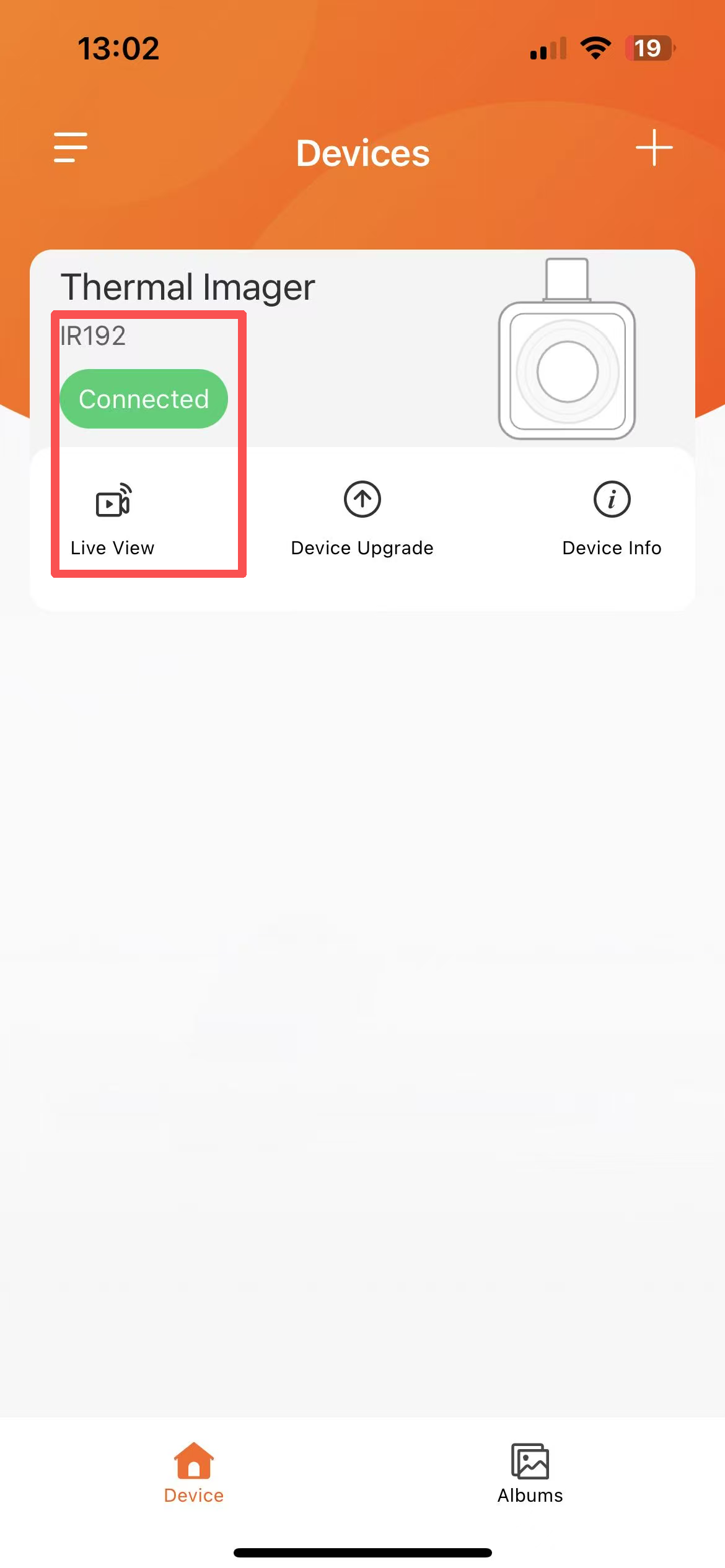
Find the palettes at the bottom of the preview screen.
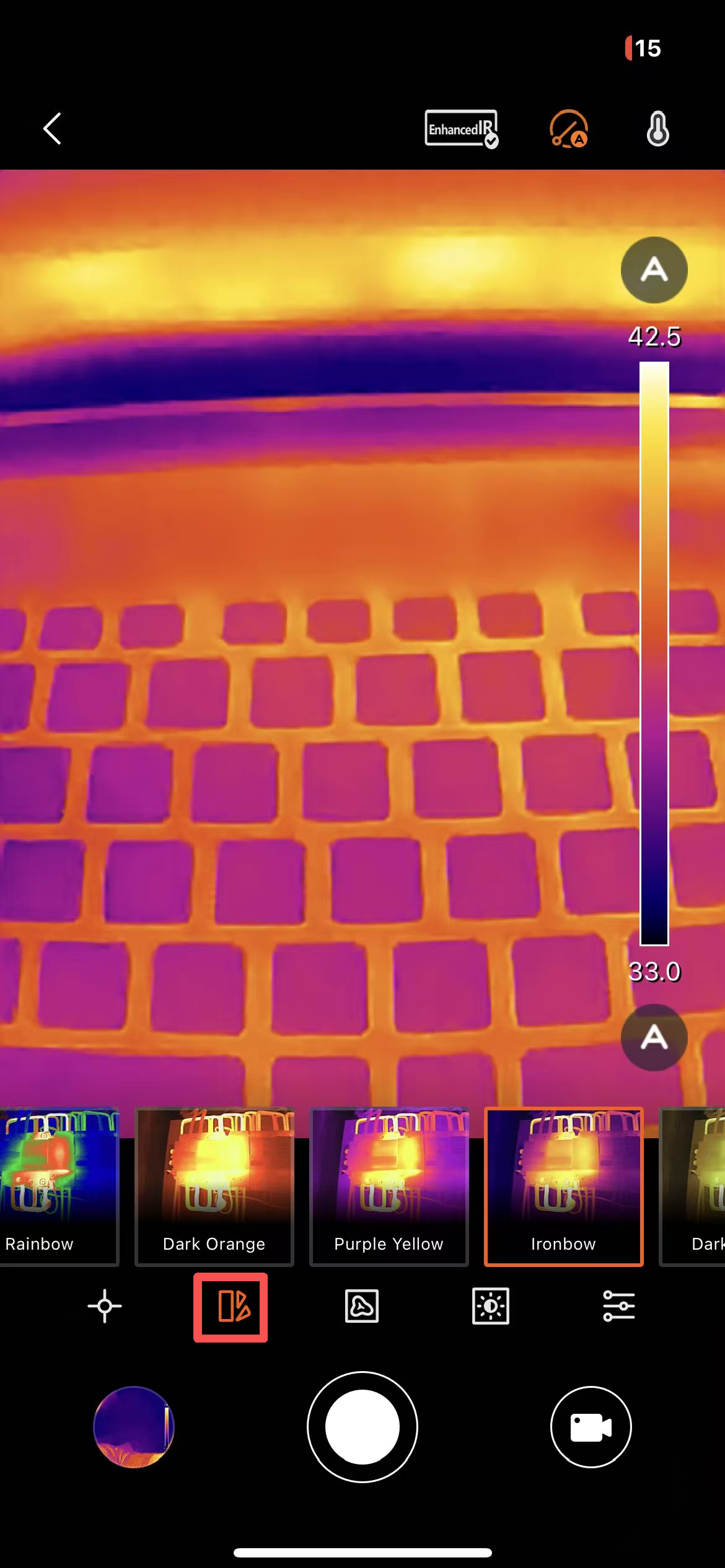
Tap this area, and the app will pop up a built-in palettes, including:
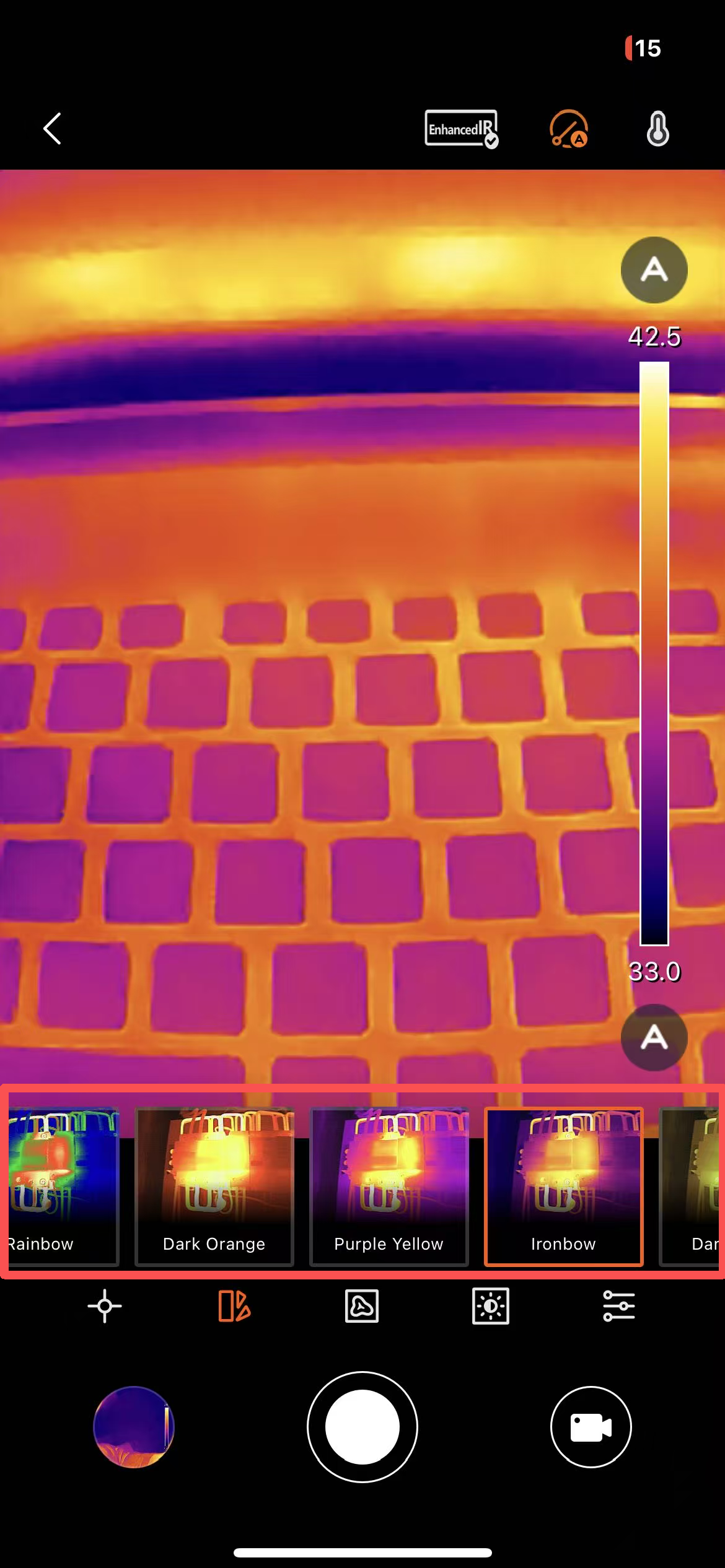
- Iron Red: High temps in red/white, low temps in black, classic industrial style.
- Rainbow: Smooth transitions from red, orange, yellow, green, blue, indigo, to violet, clearly layered.
- White Hot: The hotter, the whiter; similar to night vision.
- Black Hot: The hotter, the blacker; opposite of White Hot.
- And more modes like "Green Hot," "Deep Blue," and "Rain."
Click any mode, and the preview will switch immediately. You can choose the clearest color scheme based on what you’re observing.
Tips: If the temperature difference in your image is small, choose a high-contrast false color like Rainbow; for larger temperature differences, Iron Red or White Hot highlights high-temperature points better.
Custom palettes
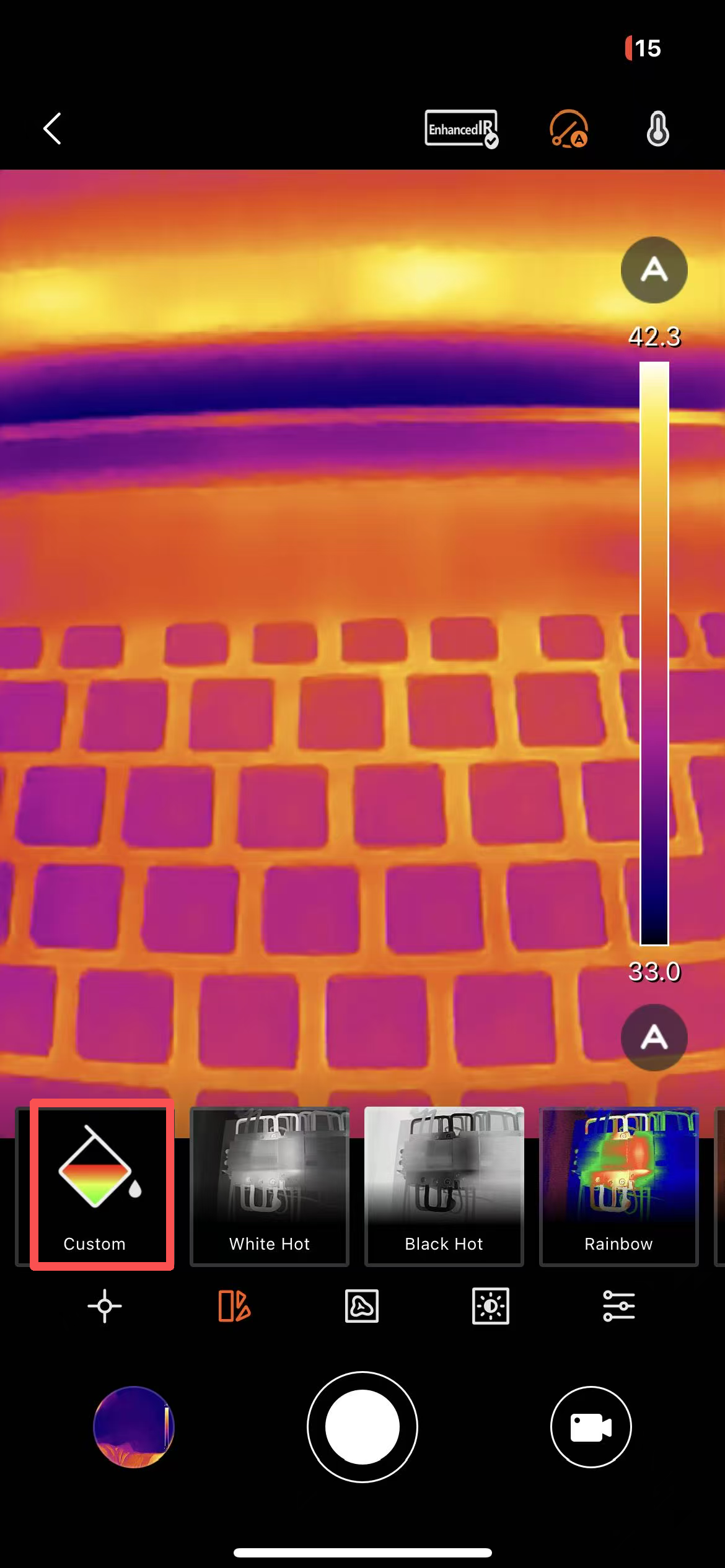
Not enough with the built-in palettes? The app supports custom palettes with up to 4 colors.
Steps:
1. In the palettes selection bar, tap the “Custom” option.
2. The color bar ends can be used to change the colors for the highest and lowest temperatures.
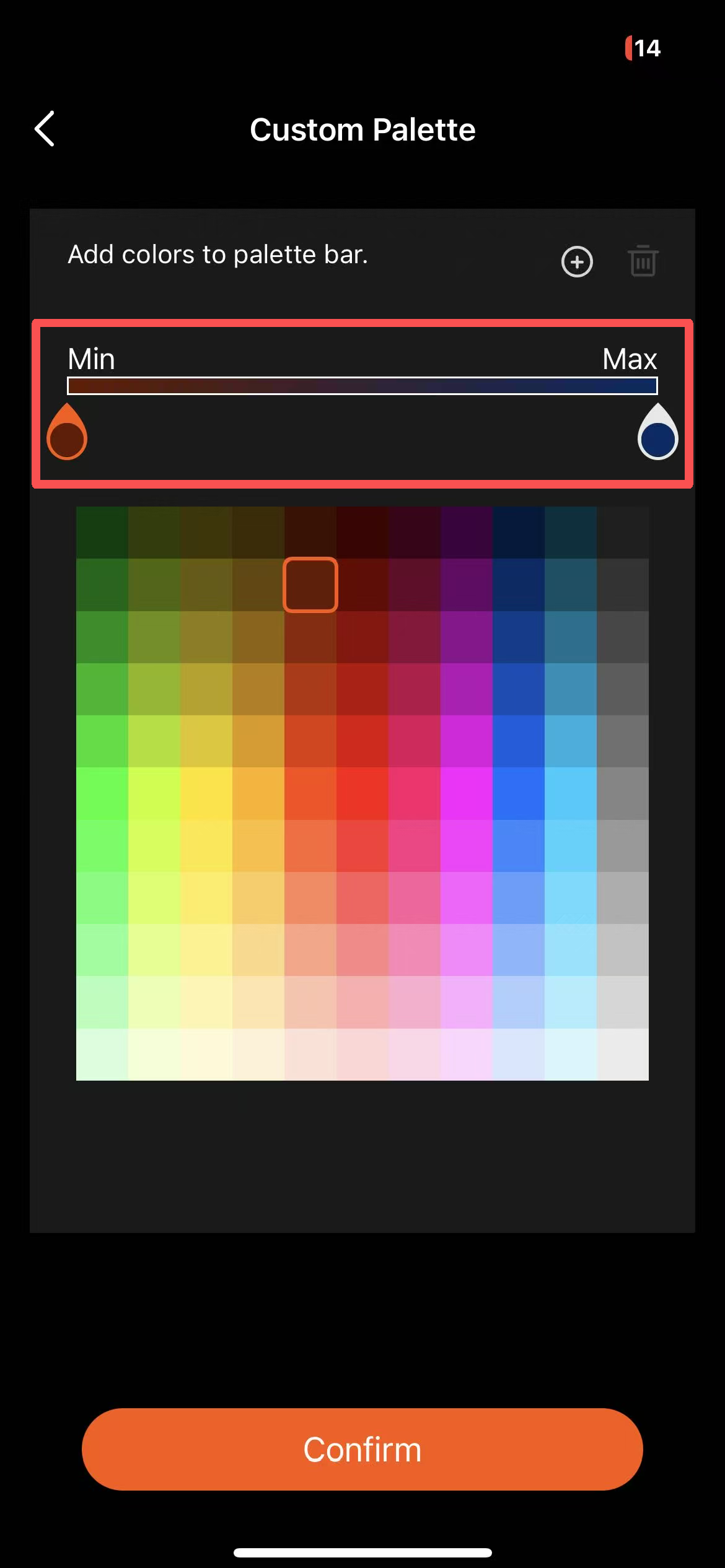
3. Select the point you want to adjust and pick a color from the palette.
Note: The highest and lowest points are fixed and cannot be dragged.
4. Tap to add color points.
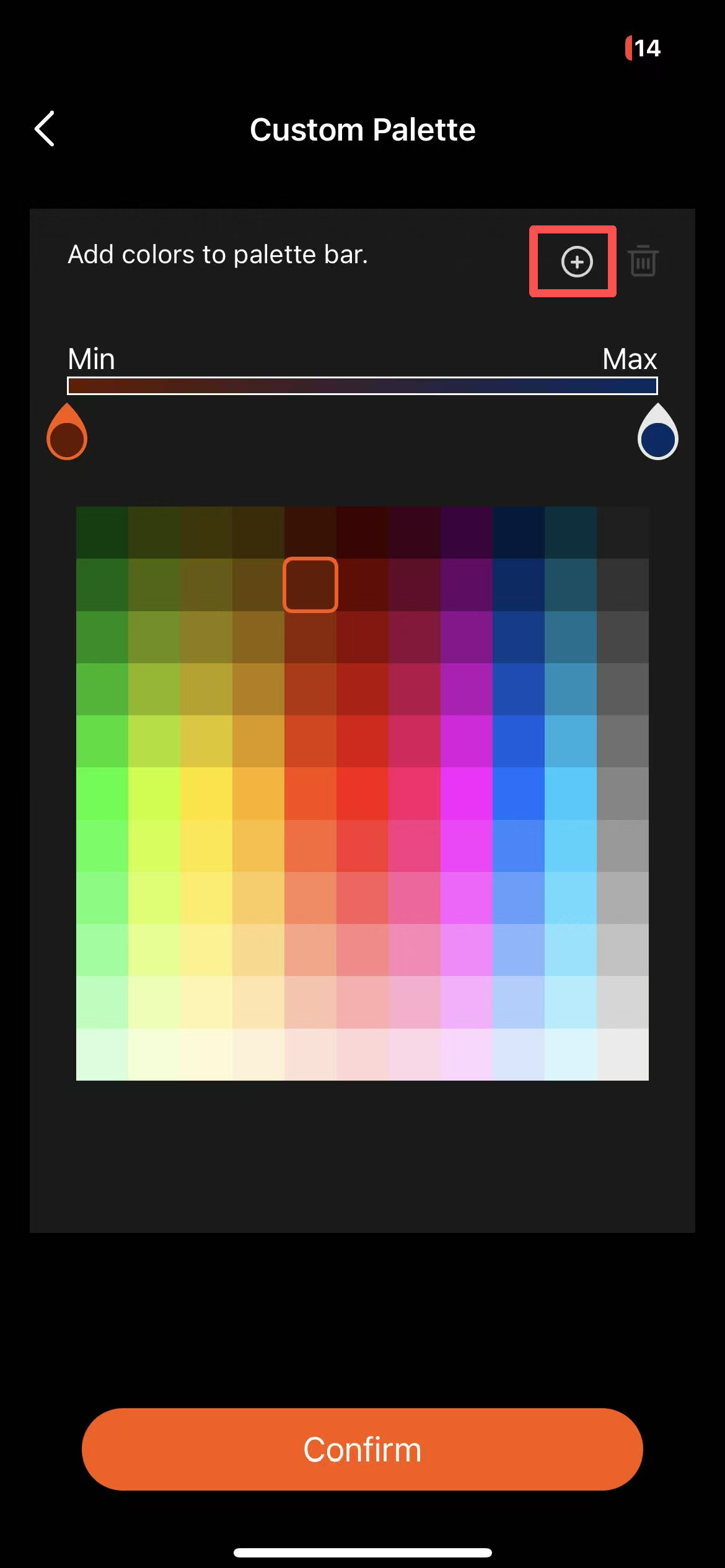
Note: You can add up to two extra color points.
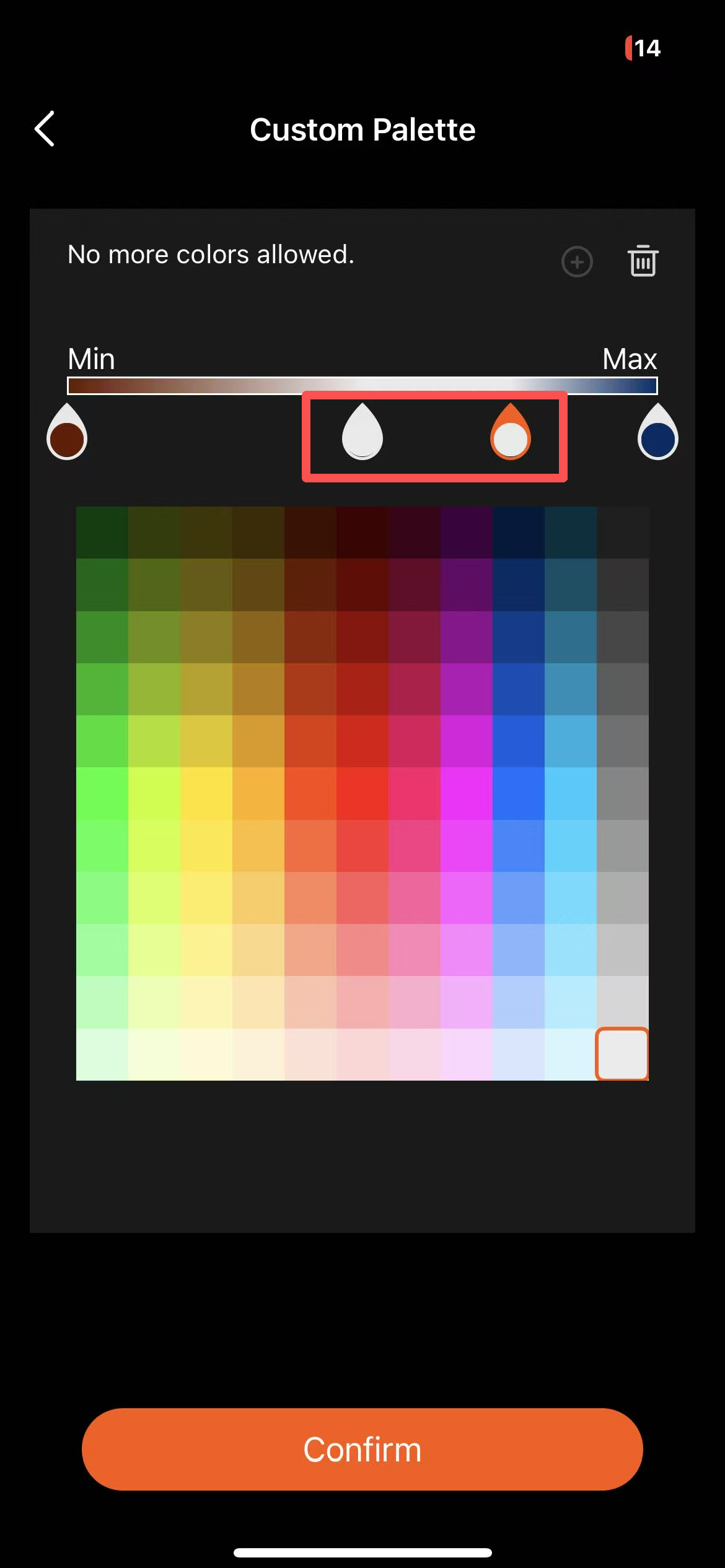
These points adjust the color between the highest and lowest temperatures. By dragging the color points, you can tweak the distribution of colors on the palettes. Repeat to add up to 4 different colors.
Once satisfied, tap “Confirm” to apply.